How to Use AI to Write a Press Release (+ Best Prompts)
Generative AI can draft a solid corporate announcement in seconds, but only if you provide strict boundaries. Learn how to turn leading language models into disciplined media writers.

Writing a press release using artificial intelligence requires more than a simple command. If you ask a standard model to announce your news without providing strict guardrails, you will receive a document filled with corporate clichés, exaggerated adjectives, and structural flaws. However, when you treat AI as a junior writer—supplying it with raw facts, clear parameters, and step-by-step guidance—you can generate a credible, journalistic draft in minutes. This article explains how to select the right tool, engineer your prompts, and rigorously audit the output before distribution.
In this article…
- 01Decide the news and build a fact sheet first
- 02Quick tool picks: the best AI is the one you can review reliably
- 03Fast mode: write the draft with one complete prompt
- 04Advanced mode: separate thinking from drafting
- 05Audit the draft like your reputation depends on it
- 06Use quick rules to keep execution moving
- 07Publish with a business goal, then reuse the facts
- 08Key takeaways
- 09Frequently asked questions
Decide the news and build a fact sheet first
Language models do not know your business strategy, nor can they decide what makes your announcement newsworthy. Before you open a chat interface, you must isolate the core facts. Start by writing a bulleted list of the essential details: the launch date, the product name, the specific financial figures, and the exact names and titles of those involved.
If you skip this step, the AI will invent logical-sounding filler to bridge the gaps in your prompt. This phenomenon is why so many AI-generated announcements sound generic. Create a raw fact sheet containing who, what, when, where, and why. Include a direct, factual quote from your designated spokesperson, ensuring the tone reflects human speech rather than marketing copy. This fact sheet will serve as the grounding context for every prompt you use, forcing the model to rely on your data rather than its own predictive text habits.
Quick tool picks: the best AI is the one you can review reliably
As of late 2026, the landscape of large language models is highly capable, but not all systems are equally suited for corporate communications. Anthropic’s Claude Fable 5.1 and Claude Opus 5 currently excel at adopting specific brand voices and adhering strictly to formatting rules without adding unwanted embellishments. OpenAI’s GPT-5.5 is exceptional at parsing complex background information and structuring it logically, making it a strong choice if your raw facts are highly technical. Gemini 3.1 Pro also offers robust capabilities, particularly if you are integrating it within broader workspace ecosystems.
The specific tool matters less than your familiarity with its output. Choose a model you have used extensively so you can easily spot its linguistic quirks. A senior editor knows that GPT-5.5 leans toward transitional phrases like furthermore or in conclusion, while Claude models might default to slightly academic phrasing when instructed to be professional. When you know the tool's weaknesses, you can correct them quickly during the review phase. Do not jump between different models every week; pick one leading engine, learn its exact habits, and train it consistently on your company’s specific factual requirements.
Fast mode: write the draft with one complete prompt
For routine announcements—such as a simple personnel change or a minor feature update—a single, comprehensive command is often sufficient. The key is to provide the model with a rigid structure. You must dictate the format, the tone, and the exact constraints it must follow.
Here is a highly effective, one-shot prompt you can adapt: Act as a senior communications editor. Write a strict, AP-style media announcement based entirely on the pasted fact sheet. Do not invent any details. Structure the document with a concise headline under 80 characters, a single-sentence subheadline, and a standard [dateline](/glossary/dateline). The opening paragraph must answer who, what, when, and where. Use a neutral, objective tone. Avoid all adjectives like 'revolutionary' or 'cutting-edge.' Insert the provided quote in the third paragraph.
By explicitly banning marketing fluff and demanding a journalistic structure, you prevent the AI from producing the bloated text that reporters instantly recognize and delete.
Advanced mode: separate thinking from drafting
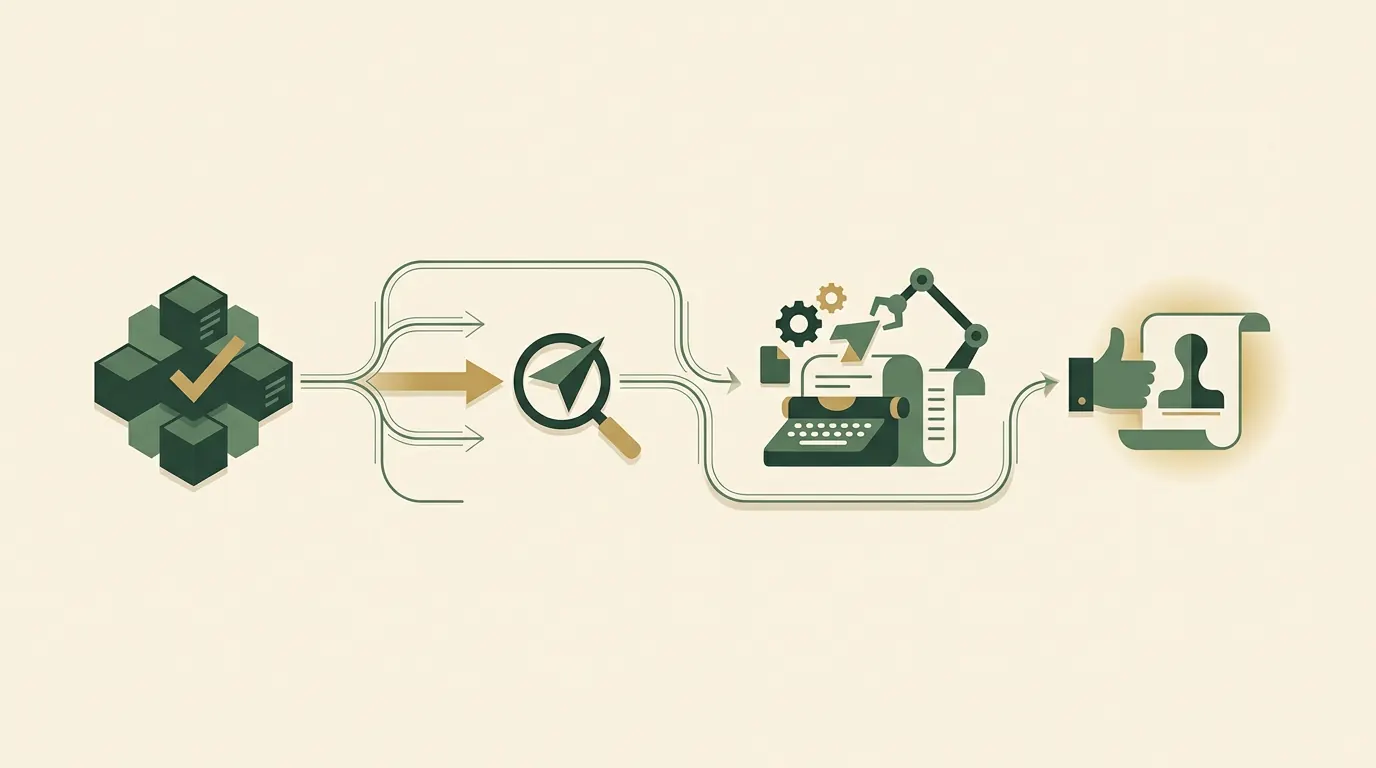
When announcing a major funding round, a merger, or a complex product launch, a one-shot prompt rarely yields a perfect press release. Instead, break the process into sequential steps. This technique, often called chain prompting, forces the model to focus on one structural element at a time, resulting in significantly higher quality output that requires less manual rewriting.
First, ask the model to generate five distinct headline options based on your fact sheet. Review them, select the strongest angle, and refine it. Second, ask the AI to write only the opening paragraph based on that chosen headline. Once the opening is precise and impactful, instruct the model to draft the body paragraphs, weaving in your pre-written quotes and technical data.
By reviewing the piece section by section, you maintain complete editorial control over the narrative flow. The AI acts as a collaborative drafter rather than an autonomous machine, ensuring the narrative logic remains tight and the business priorities are correctly emphasized at every stage of the document.
Audit the draft like your reputation depends on it
An AI-generated draft is never a finished product. It is a starting point that requires aggressive editing. Journalists despise artificial-sounding copy, and distributing an unedited AI press release can permanently damage your credibility. You must read the text aloud and ruthlessly cut any sentence that sounds unnatural or overly promotional.
Check every single number, name, and date against your original fact sheet. Generative models occasionally transpose figures or misattribute titles. Next, verify the formatting. Ensure the text follows the rules outlined in our guide on What Is AP Style for a Press Release and How to Do It (Example and Structure). Finally, append your standard boilerplate at the very end of the document. The AI should not be trusted to write your company background from memory, as it will likely pull outdated information from its training data. Always paste your approved, legal-cleared company description manually.
Use quick rules to keep execution moving
To make AI a sustainable part of your workflow, you need a set of non-negotiable rules for the editing desk. First, limit your revision rounds with the AI. If the model fails to fix a problematic paragraph after two corrective prompts, rewrite the paragraph yourself. Arguing with a chatbot wastes the time you were supposed to save, and it often leads to overly convoluted text.
Second, build a library of negative constraints. Keep a running list of words the AI overuses—such as seamless, innovative, transformative, and delve—and explicitly ban them in your initial prompts. Setting these boundaries early prevents the AI from falling into its default marketing cadence. Third, never let the AI write the quotes. Quotes must sound like a human executive speaking in a real room. Draft the quotes yourself in plain language, and only use the AI to format the surrounding text. These strict operational boundaries ensure your production speed remains high without sacrificing the editorial standards expected by serious journalists.
Publish with a business goal, then reuse the facts
Once your press release is polished, factual, and free of artificial stylistic ticks, it is ready for distribution. A strong document deserves an audience, so review our pricing to select the distribution tier that aligns with your specific visibility goals. Whether you are targeting financial markets, industry specific publications, or broad consumer awareness, the channel matters just as much as the text you have just engineered.
After the release is live in your digital newsroom, leverage the AI one last time to maximize your return on the writing effort. Feed the finalized press release back into your preferred model and prompt it to generate derivative content. Ask it to extract key bullet points for an internal team email, draft three professional social media posts for your executive team, or summarize the announcement for a customer newsletter. Because the model is now working from an edited, perfect source document, these secondary assets will be highly accurate and ready to deploy instantly across all your corporate channels.
Key takeaways
Generative AI accelerates drafting, but it cannot replace editorial judgment. Success requires preparing a factual foundation, using strict prompts with negative constraints, and ruthlessly auditing the final output for accuracy and tone before you distribute it to the media.
See distribution plansFrequently asked questions
Which AI model is best for writing corporate announcements in 2026?
Claude Fable 5.1 and GPT-5.5 are currently the strongest options. Claude excels at natural phrasing and strict adherence to formatting constraints, while GPT-5.5 is highly effective at structuring complex technical information logically. Both require precise prompting to avoid generic output.
Can I let AI invent quotes for my executives?
No. AI-generated quotes almost always sound like robotic marketing copy. You should write quotes manually in plain, human language, ensuring they offer genuine perspective rather than generic excitement, and then instruct the AI to insert them into the draft untouched.
How do I stop AI from using words like 'revolutionary' or 'cutting-edge'?
The most effective method is to use negative constraints in your initial prompt. Give the model an explicit list of forbidden words, commanding it to avoid promotional adjectives and maintain an objective, journalistic tone.
What is chain prompting and when should I use it?
Chain prompting involves breaking the writing process into sequential steps—such as generating headlines first, then the opening paragraph, and finally the body text. Use this method for major, high-stakes announcements where you need precise editorial control over every section.
Should I include my company description in the AI prompt?
You can provide brief context, but you should never rely on the AI to write the final company description. Always paste your officially approved, legally cleared background text manually at the end of the document to ensure total accuracy.
Keep reading

4 min read
What Is AP Style for a Press Release and How to Do It (Example and Structure)
Learn exactly what AP style is, why journalists demand it, and how to format your press releases to avoid the trash bin. A pragmatic guide for standardizing datelines, numbers, and titles for maximum media pickup.
15 September 2026
5 min read
How to Start a Press Release Distribution Agency: Requirements, Profit Margins, and Automation
Learn how to build a successful press release distribution agency by focusing on managed outcomes, leveraging white-label infrastructure, understanding true profit margins, and automating client onboarding without sacrificing editorial quality.
15 September 2026
5 min read
5 Best Press Release Distribution Services (and Why)
Discover the top news distribution platforms available today. This comprehensive guide reviews current pricing, network reach, and practical business advantages for each provider, helping you confidently select the best partner to secure measurable media coverage for your next corporate announcement.
15 September 2026Join the conversation
Comments are read by our editors before they appear on the page.